Yuki Free Cost Analysis, a Snowflake Native App, is now available on Snowflake Marketplace, free and with unlimited access. Because it runs as a Snowflake Native App inside your account, it analyzes usage metadata where it already lives, with no data export or separate infrastructure. Snowflake® makes it easy to scale, from dbt models and BI dashboards to Snowflake Cortex AI agents, but warehouses are often sized for their heaviest query, and every lighter query pays for that headroom. Yuki Free Cost Analysis shows where that happens in your account, and how much compute you could recover.
Measured the way you would measure it yourself
Most cost tools ask you to trust a number. We built this one so you don’t have to.
Yuki Free Cost Analysis measures your compute the way your own team would: from your account’s query and metering history, inside your own Snowflake account. Every number in the report carries an information icon. Hover over it to see the exact SQL that produced it, and reproduce any figure in a worksheet. The result is a cost-savings roadmap your team can verify, not a black box.
You can also set your own credit price on the report, and every dollar figure updates immediately to match your contract.
What you get
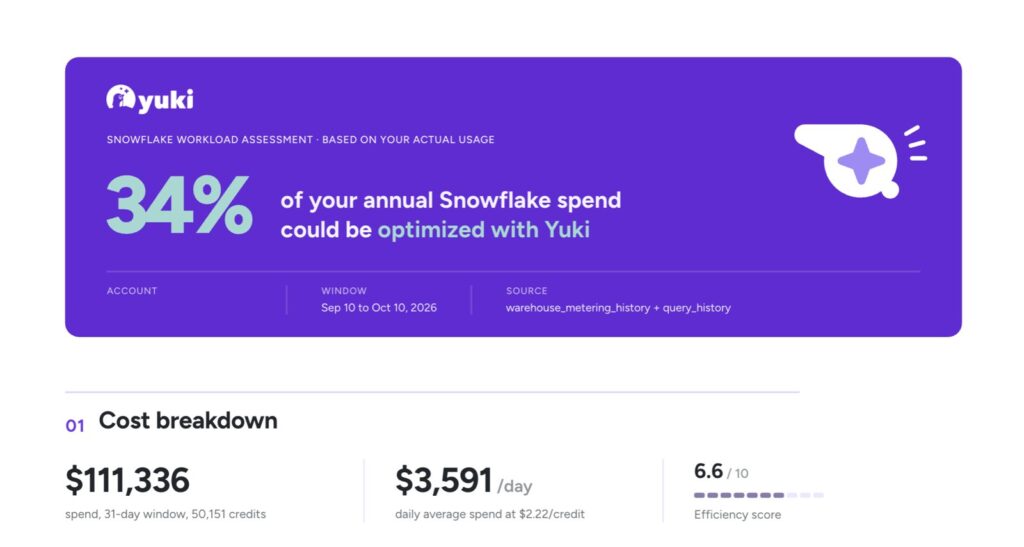
- Spend and workload profile. Spend for the window, daily average, an efficiency score, projected annual cost by warehouse size, and daily cost split across your five largest warehouses.
- Warehouse breakdown. Every warehouse ranked by annual savings opportunity, with the share of its queries that fit a smaller size and the saving method that applies to it.
- Performance. Idle warehouse time, queue time at P90, and the work delivered per credit, in both execution time and GB scanned. Each is shown as it is today and as it would be optimized.
- The opportunity. Projected annual savings, current versus optimized run-rate, and daily credit consumption.
The whole report exports as a single-page PDF, ready for finance, leadership, or your next capacity planning conversation.
How it works
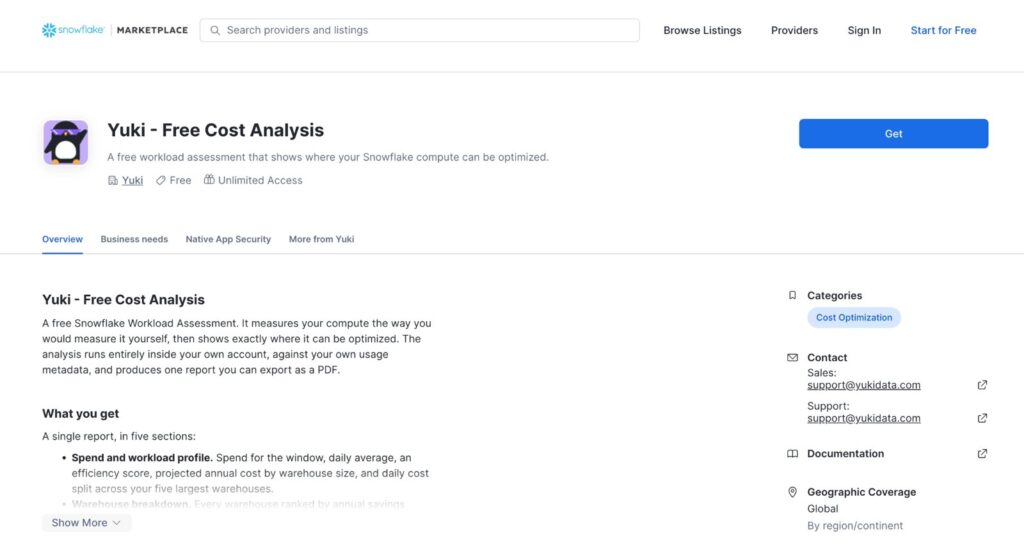
- Install from Snowflake Marketplace. Click Get on the listing. Installation requires ACCOUNTADMIN.
- Grant three privileges when prompted (listed below).
- Launch the app and enter your business email on the welcome screen.
- Let it run. The app reads your usage metadata, runs the analysis and renders the report. This normally takes a minute or two, longer on very large accounts.
- Adjust and export. Set the credit price to match your contract, then export the report as a single-page PDF.
The analysis covers a trailing 30-day window, so you need at least a few days of history in ACCOUNT_USAGE for a meaningful result.
Built to pass your security review
We designed the app so your security team can approve it quickly, and we documented exactly what it touches.
What it reads. Two views only, through the IMPORTED PRIVILEGES ON SNOWFLAKE DB grant: SNOWFLAKE.ACCOUNT_USAGE.QUERY_HISTORY and SNOWFLAKE.ACCOUNT_USAGE.WAREHOUSE_METERING_HISTORY. It reads query metadata: timings, warehouse names and sizes, bytes scanned, queue times and execution status.
What it never reads. Query results, table data, user names, role names, or any other user-identifiable information. Query text is read for one purpose only: to compute a SHA2 hash so repeated queries can be detected. Only the hash is stored. The raw text is never written to a table and never leaves your account.
What it creates. A database named cost_analysis for the assessment tables, and a warehouse named YUKI_FREE_ANALYSIS_WH used only to run the assessment. The warehouse auto-suspends after 30 seconds. If that name is already taken, the app creates a suffixed one and leaves your warehouse untouched.
Privileges requested, and why.
- IMPORTED PRIVILEGES ON SNOWFLAKE DB, to read the two usage views above
- CREATE DATABASE, to create cost_analysis for the assessment tables
- CREATE WAREHOUSE, to create the warehouse that runs the assessment
Built on the Snowflake Native App Framework. As stated on the Marketplace listing, the app completed a Snowflake security review and is protected by Snowflake role-based access control.
Optional follow-up. During install you can approve an external access integration so Yuki can follow up with you about your results. Declining is fine: the report still renders in full.
Who it’s for
Yuki Free Cost Analysis is built for data platform leaders, data engineering directors and FinOps owners running Snowflake at scale. It’s especially useful if:
- Your Snowflake bill is growing faster than you can explain it
- Warehouses were sized for worst-case queries and never revisited
- Several teams share the same warehouses and chargeback is a negotiation
- You’re planning to scale Cortex AI and want a clear baseline first
What happens after the analysis
The report is yours to keep, with no commitment. If you want help reading it, our team will walk you through a readout. And if you decide to act on what you find, Yuki applies per-query routing at the connection string level, with no code changes to your applications, dbt models or BI tools. AllianceBernstein, for example, cut Snowflake credits by 25.8% on average over six months with Yuki and kept expanding its Snowflake Cortex AI agent use cases.
FAQ
Does my data leave my Snowflake account? No. The analysis runs inside your account against your own usage metadata. The app never reads query results or table data, and raw query text never leaves your account. The only outbound connection is the optional external access integration, which is used only for follow-up about your results.
What permissions does it need? ACCOUNTADMIN to install, plus three privileges: IMPORTED PRIVILEGES ON SNOWFLAKE DB, CREATE DATABASE and CREATE WAREHOUSE.
Will it affect my workloads or my bill? The app runs on its own dedicated warehouse, which auto-suspends after 30 seconds, and leaves your existing warehouses untouched.
How long does it take? A minute or two on most accounts, longer on very large ones.
Can I check the numbers? Yes. Every figure shows the SQL that produced it, so you can reproduce it yourself.
Do I need to be a Yuki customer? No. The analysis stands on its own.
Get started
Install Yuki Free Cost Analysis from Snowflake Marketplace and see where your compute is going. Questions? Reach us at [email protected], or read the docs at docs.yukidata.com.
About Yuki
Yuki is a real-time cost optimization platform for high-scale data teams. Yuki automates warehouse operations and improves performance consistency without code changes or complex integration. Learn more at www.yukidata.com.