
Snowflake made compute adaptive. That is good news.
Snowflake Adaptive Compute automates sizing, scaling, query routing, Query Acceleration Service settings, and suspend or resume behavior for workloads running on an Adaptive Warehouse. That removes a meaningful amount of infrastructure tuning.
The important phrase is running on an Adaptive Warehouse.
Before Adaptive can optimize a query, someone still has to decide that the query belongs there.
That matters because mature Snowflake environments do not run one clean workload. They run scheduled dbt transformations, BI dashboards, ingestion jobs, customer-facing applications, AI agents, ad hoc analytics, and memory-heavy Snowpark workloads.
Those workloads do not always belong on the same compute model.
| SNOWFLAKE ADAPTIVE | YUKI |
|---|---|
| Decides how much compute a query receives inside Adaptive. | Decides where a query should run across the Snowflake environment. |
Snowflake Adaptive Compute Is a Real Improvement
Let’s be clear: Adaptive Compute is not just another warehouse size.
It changes how Snowflake allocates compute. All jobs sent to Adaptive Warehouses within an account are routed into a dedicated shared compute pool. Snowflake then determines how resources should be allocated to each query. Teams no longer manage traditional warehouse sizes, multi-cluster settings, Query Acceleration Service configuration, or suspend and resume policies for those warehouses.
Adaptive also introduces query-based billing. The cost of each query depends on the compute and software resources it consumes.
For the right workloads, this is powerful. Snowflake recommends considering Adaptive Warehouses for analytical workloads, data loading, mixed BI and ETL, bursty demand, and environments where query sizes vary significantly.
Adaptive is particularly attractive when the alternative is keeping large amounts of capacity available for traffic spikes that may or may not happen.
But Adaptive does not eliminate every compute decision. It moves some of those decisions.
The Boundary Adaptive Does Not Cross
The Adaptive compute pool is separate from the resources used by Standard, Interactive, and Snowpark-optimized warehouses.
That separation creates a clear boundary.
Snowflake can optimize a query after it reaches Adaptive. It does not automatically decide whether that query should have gone to Adaptive, Standard Gen2, Interactive, or Snowpark-optimized compute in the first place.
Snowflake’s own documentation acknowledges that different warehouse types remain appropriate for different workloads. Standard Gen2 may be preferable when teams want direct control over sizing and scaling. Interactive warehouses may be a better choice for very-low-latency applications. Snowpark-optimized warehouses may be better for high-memory, single-node machine learning workloads.
The decision space is still there
- Should this workload run on Adaptive?
- Should a predictable pipeline remain on Standard Gen2?
- Does a customer-facing application require Interactive compute?
- Would a memory-heavy workload perform better on Snowpark-optimized infrastructure?
- Who keeps evaluating those decisions as query behavior changes?
That is the layer Yuki automates.
Yuki Optimizes Before the Query Is Placed
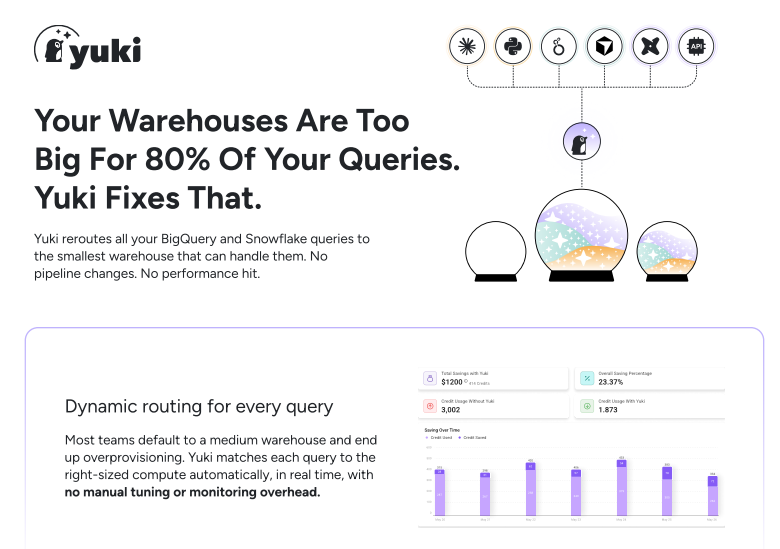
Yuki operates across the Snowflake environment, not only inside one warehouse type.
It evaluates query metadata, observed execution behavior, historical performance, warehouse load, concurrency, cost, and business priority. It then routes the query to the most suitable warehouse type, size, and placement in real time.
Adaptive becomes one possible execution target among several. It is not treated as the default answer for every workload.
This distinction is critical. The goal is not to send the maximum possible compute to every query. The goal is to deliver the required performance at the lowest responsible cost.
- Send a bursty, latency-sensitive workload to Adaptive when it is the best fit.
- Keep a predictable batch workload on a correctly sized Standard warehouse.
- Consolidate lightweight queries onto available capacity instead of spinning up more compute.
- Prioritize a revenue-critical workload over a low-priority internal request.
Yuki makes these decisions continuously, without requiring engineers to maintain static routing rules or revisit warehouse assignments every quarter.
Yuki vs. Snowflake Adaptive Warehouse
The X marks below do not mean Adaptive is missing a feature it was designed to provide. They show where its intended scope ends.
| Capability | Yuki | Snowflake Adaptive |
|---|---|---|
| Per-query resource optimization | ✓ | ✓ Within Adaptive |
| Automatic sizing and scaling | ✓ | ✓ Within Adaptive |
| Real-time routing across warehouse types | ✓ | ✕ |
| Selects Adaptive versus non-Adaptive execution | ✓ | ✕ |
| Optimizes cost and performance across the full environment | ✓ | ✕ |
| Uses business priority in query placement | ✓ | ✕ |
| Reuses capacity across available warehouses | ✓ | ✕ |
| Eliminates ongoing manual query routing | ✓ | ✕ Across warehouse types |
Adaptive optimizes execution inside Adaptive. Yuki optimizes the execution decision across Snowflake.
What This Looks Like in a Real Snowflake Environment
Consider a company running several very different workloads.
A bursty customer-facing application
Traffic is unpredictable. Concurrency can jump quickly, and response time matters. Adaptive may be an excellent target because its shared compute pool can allocate resources at query granularity and respond to changing demand. Yuki can identify that workload pattern and route the appropriate queries to Adaptive without forcing every other workload onto the same execution model.
A predictable dbt pipeline
The pipeline runs on a known schedule with relatively consistent query shapes. A correctly sized Standard or Gen2 warehouse may provide better control for that predictable workload. Snowflake recommends Standard Gen2 when direct control over warehouse size and scaling is important. Yuki can keep the pipeline on the appropriate warehouse while sending more variable traffic elsewhere.
A memory-heavy Snowpark workload
A large machine learning or data processing job may benefit from Snowpark-optimized compute. Snowflake specifically recommends considering Snowpark-optimized warehouses for high-memory, single-node workloads. Yuki can direct the workload to the environment that fits instead of treating Adaptive as a universal destination.
A mixed environment with competing priorities
Now add a finance dashboard, a customer-facing data product, an internal analyst, and a long-running transformation job. The technical requirements are different. So are the business priorities. Yuki can incorporate workload ownership, team budgets, query priority, and live warehouse conditions into routing decisions. Business-critical work gets the resources it needs while lower-priority workloads are placed more economically.
This is where routing becomes more than infrastructure automation. It becomes cost governance.
Why the Difference Matters at $300K or More in Snowflake Spend
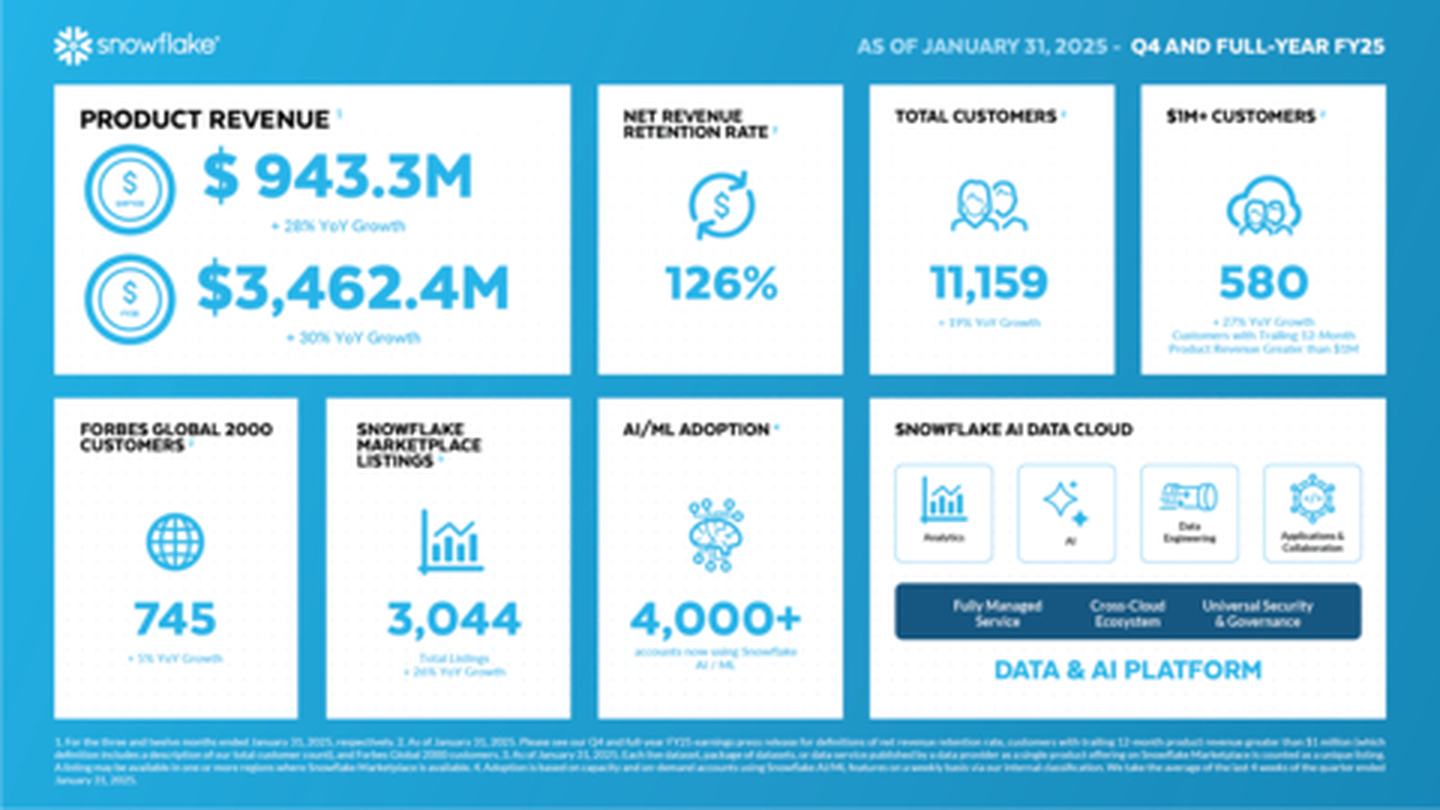
At $300,000 in annual Snowflake spend, every 10% of waste recovered is worth $30,000.
At $1 million, it is worth $100,000.
This is not a small infrastructure adjustment. It is a material budget decision.
The cost of a poor routing decision compounds. A warehouse that is slightly too large, a workload placed on the wrong compute type, or a query that repeatedly spins up unnecessary capacity can quietly consume credits every day.
Manual optimization rarely keeps pace. Workloads change. Query shapes drift. New applications launch. Teams adopt dbt, Looker, Airflow, AI agents, and customer-facing data products. The warehouse configuration that worked last quarter may no longer fit the workload running today.
Yuki reports average savings of 37.6%, with optimization beginning through a connection-string update and no ongoing manual warehouse tuning.
| $30K | Value of recovering 10% at $300K annual spend |
| 37.6% | Average savings reported by Yuki |
| < 1 hour | Typical Yuki onboarding |
Customer Proof
Published Yuki customer outcomes show what automated warehouse optimization can unlock in production environments:
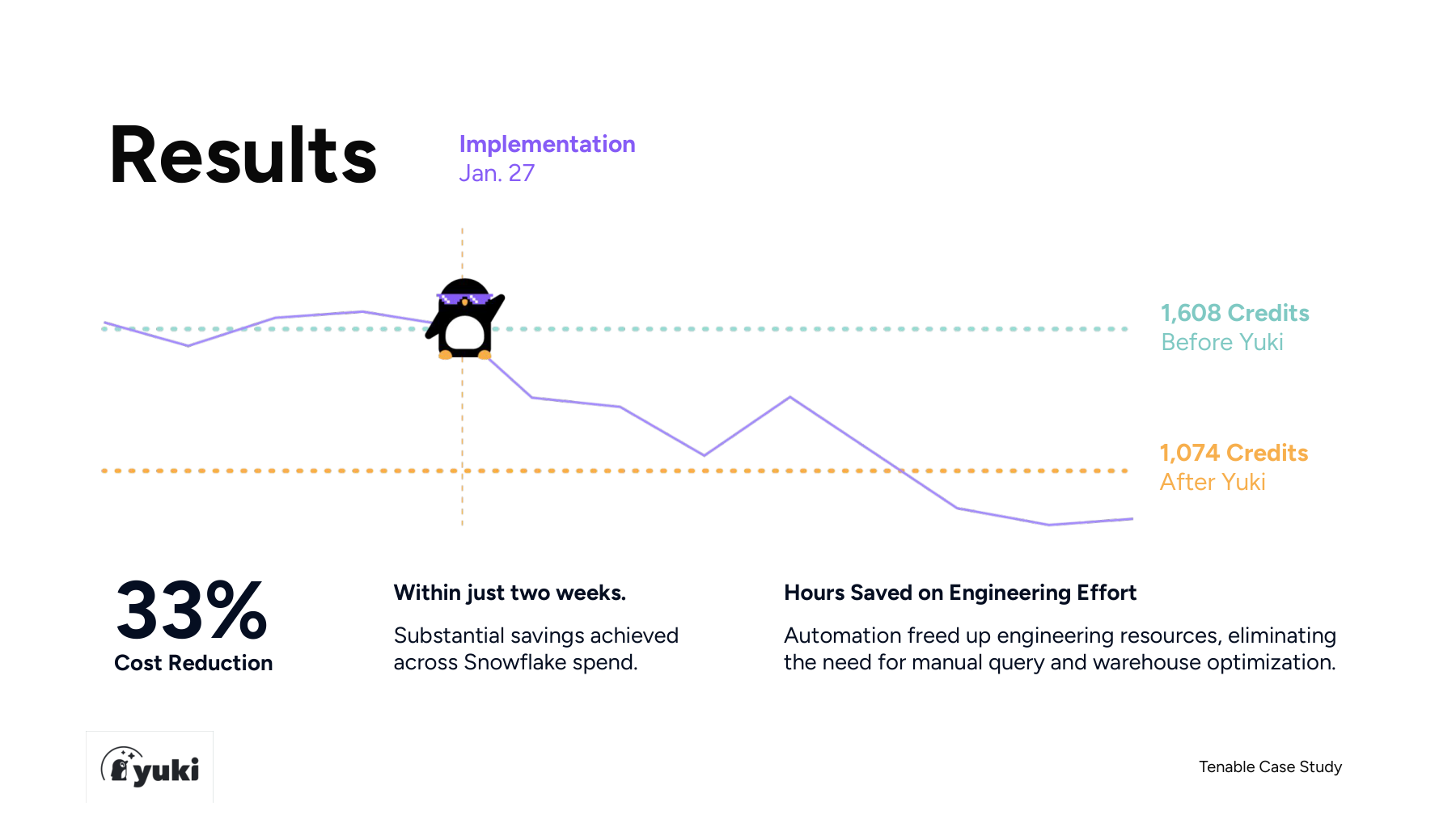
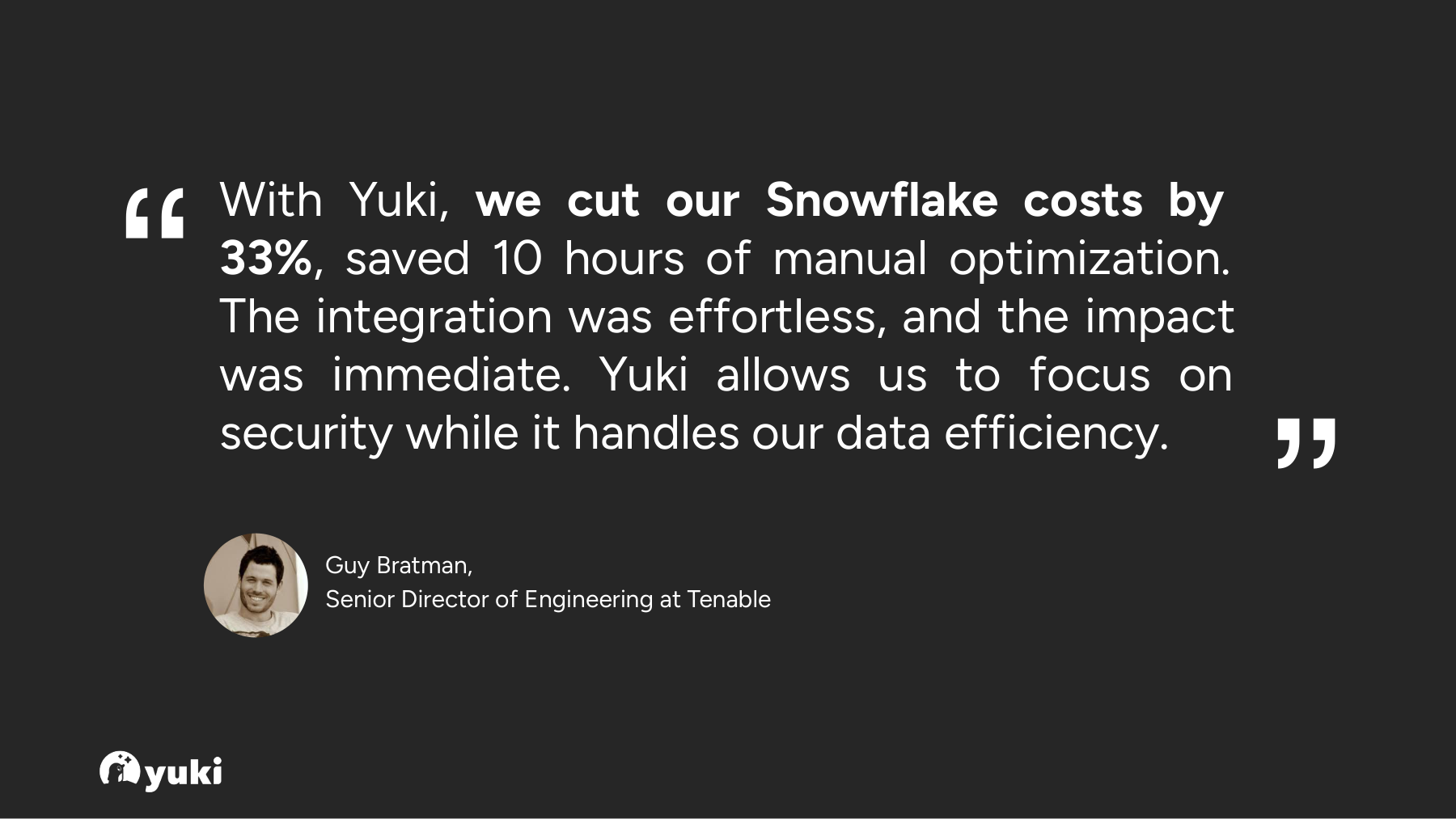
- Tenable reduced its Snowflake bill by 33% and reclaimed 10 hours of manual optimization work.
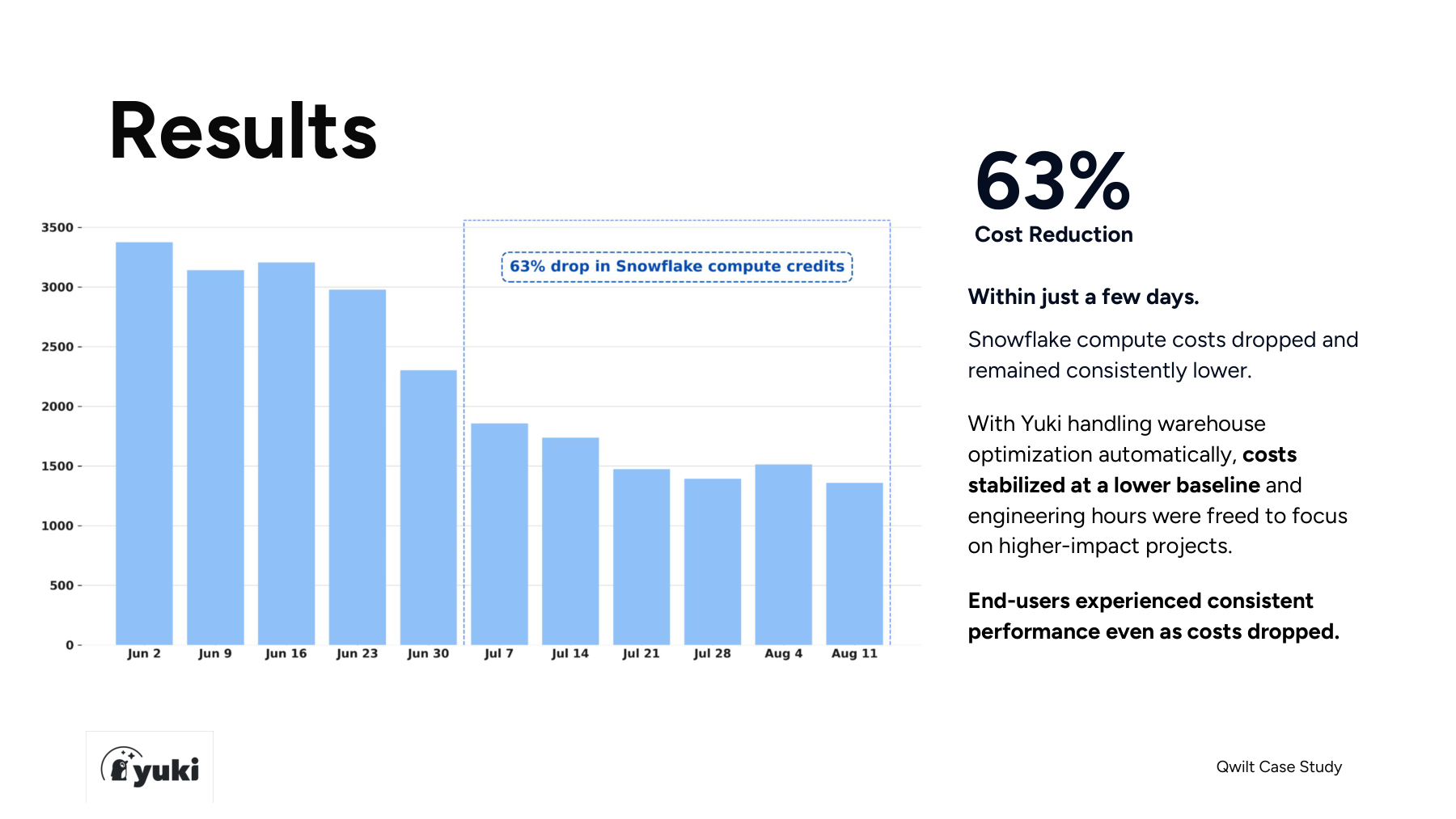
- Qwilt reduced Snowflake compute costs by 63%, even after investing in its own internal cost controls and routing logic.
- Wild Alaskan Company reduced Snowflake spend by 48% after a setup completed in under 30 minutes.
These results compare Yuki with each customer’s previous Snowflake configuration. They are not controlled comparisons against Adaptive Compute.
Does Yuki Replace Adaptive?
No.
That is the wrong framing.
Adaptive is a compute option. Yuki is the decision layer that determines when that option is the right one.
A mature Snowflake environment may use both:
- Adaptive for bursty, variable, or concurrency-sensitive workloads.
- Standard or Gen2 for predictable workloads where direct control is valuable.
- Interactive for low-latency applications.
- Snowpark-optimized for memory-intensive processing.
- Yuki to route queries across those choices automatically.
Snowflake continues to improve the individual compute engines. Yuki makes sure each query reaches the right one.
Should You Use Adaptive Alone?
Adaptive may be enough when your workloads fit its execution model, native Snowflake simplicity is the main priority, and you do not need to optimize routing across multiple warehouse types.
Yuki becomes more valuable when:
- Your environment contains mixed workloads.
- Different teams have different cost and performance priorities.
- You operate multiple warehouses or warehouse types.
- Engineers are maintaining manual routing or sizing rules.
- Snowflake spend is difficult to forecast.
- You need query-level cost accountability.
- You want to use Adaptive selectively rather than universally.
Snowflake lists Adaptive Compute as generally available in select AWS regions for Enterprise Edition accounts and higher.
For teams with access, the question is not whether Adaptive is good. The question is where it belongs.
| ADAPTIVE ALONE | ADD YUKI |
|---|---|
| Best when workloads fit one execution model, native simplicity is the priority, and cross-warehouse optimization is not required. | Best when workloads are mixed, warehouse choices keep changing, cost targets are strict, or business-level governance matters. |
The Bottom Line
Snowflake Adaptive Compute removes a meaningful amount of tuning inside Adaptive Warehouses.
That is progress.
But it does not decide where every query should run across a complex Snowflake environment.
Yuki does.
It evaluates the workload, live conditions, performance requirements, business priority, and cost context before selecting the execution target.
That gives data teams the freedom to use Adaptive where it wins, keep other workloads on the compute models that fit them better, and stop making routing decisions manually.
Snowflake Adaptive makes one compute model smarter.
Yuki makes the routing decision smarter.
Compare Yuki and Snowflake Adaptive Warehouse across optimization scope, warehouse selection, cost control, governance, and customer outcomes. READ THE FULL COMPETITIVE ANALYSIS