Every dbt job looks fine until one model drags everything down. Refresh windows slip, costs spike, and the only fix has been to resize the entire job’s warehouse. Sure – you can technically assign a different warehouse per model today, but it’s manual, and offers no feedback loop.
That’s why we built Yuki’s dbt Page: a place where data teams can monitor and optimize dbt jobs at the model level – easily, consistently, and with measurable impact.
The Challenge: One Size Doesn’t Fit All
dbt is the backbone of many analytics and data engineering workflows. But as projects scale, so does the complexity – and most teams default to optimizing at the warehouse or job level.
- Models vary widely – Some are lightweight and run fine on small warehouses, while others are heavy and demand bigger compute resources.
- Run types behave differently – Full Refresh vs. Incremental runs often have completely different performance profiles.
- Performance is opaque – A single job may include dozens of models, making it tedious to isolate which one caused a spike.
- Cost vs. speed is guesswork – Without model-level insights, teams either overspend to keep things fast or risk slowdowns.
- No feedback loop – Logs show runtime and credits, but not the before/after impact of changes.
The reality?
- Most teams don’t touch model-level warehouse changes at all – it’s too manual and hard to maintain.
- Instead, they resize entire jobs or warehouses, which is easier but inefficient.
The result: wasted credits, slipped refresh windows, and optimization that’s more trial and error than engineering.
How the dbt Page Solves This
The dbt Page turns dbt jobs from a black box into something you can see, control, and optimize model by model. It combines visibility with action – so you don’t just spot issues, you fix them.
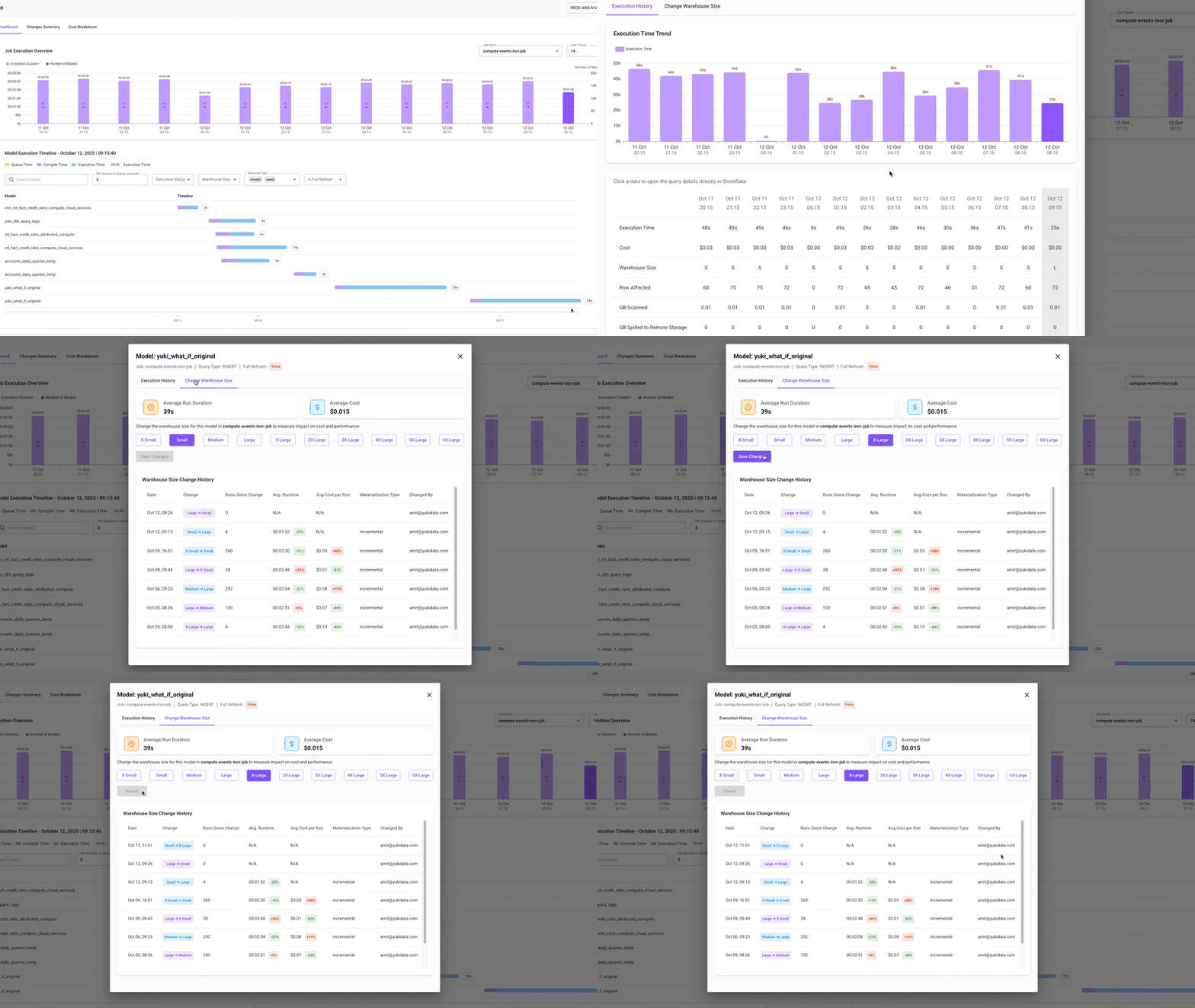
Dashboard
Your starting point for understanding job performance.
- Execution Summary – Catch jobs spikes in runtime or cost at a glance.
- Model Timeline – Visualize the order and duration of each model to see where bottlenecks occur.
- Model Drill-down – Zoom in on a single model: review its runtime and cost history, open its queries in Snowflake, and if needed – resize the warehouse it runs on.
Changes Summary
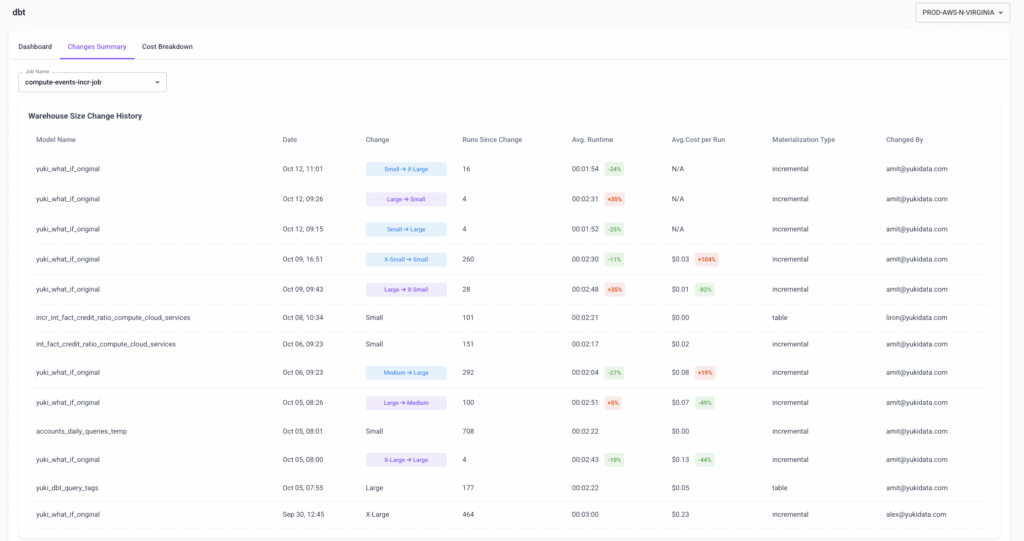
The control center for optimization.
- Manage all model-level warehouse size changes in one place.
- Track everything with Change History – who made the change, when, and what happened afterward in terms of runtime and cost.
Cost Breakdown
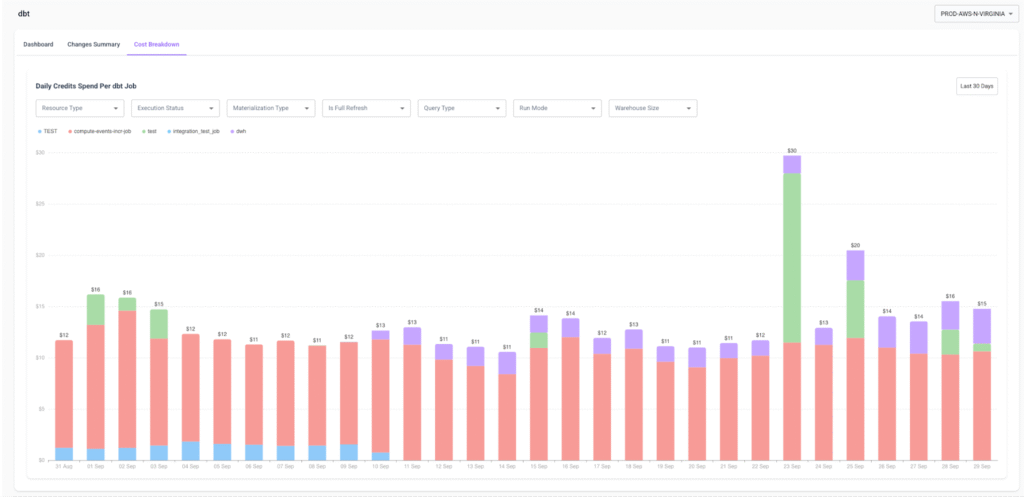
Your view into daily dbt spend.
- Visualize costs across jobs with a stacked chart.
- Slice spend by materialization, users, warehouses, or domains.
- Spot long-term trends and unusual spikes before they become a problem.
What You’ll See on the dbt Page
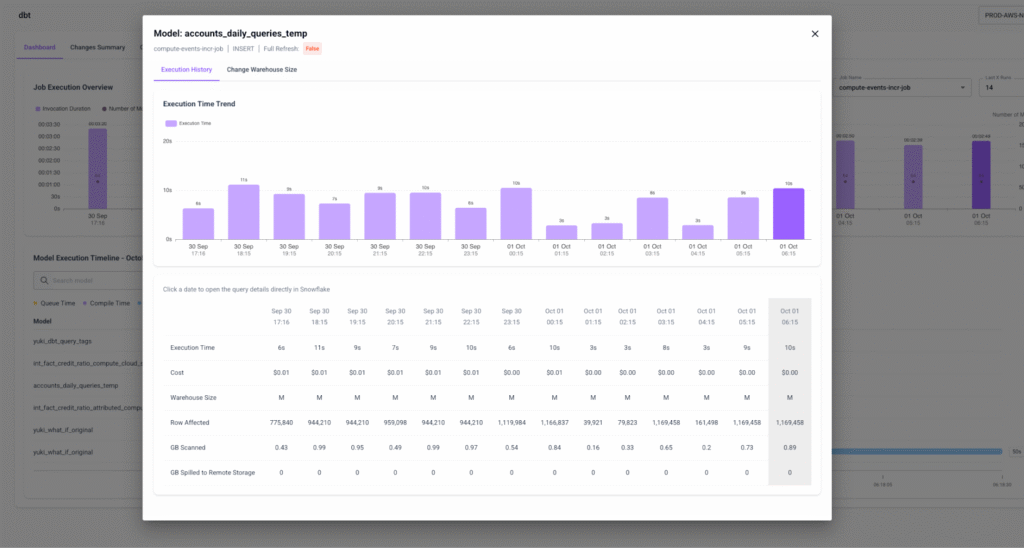
- Per-model runtime and cost trends – See exactly how each model has been performing over time, with cost and runtime side by side.
- Optimization controls – Change warehouse size at the model level, and even choose whether it applies to Full Refresh, Incremental, or both run types.
- Change History – Every adjustment is tracked, so you can prove the impact of a change with before/after deltas.
- Spend patterns – Visualize spend at both the job level and across multiple jobs, making it easier to spot patterns or anomalies.
With these views, you’re not just watching jobs run – you’re actively steering them.
Practical Optimization Workflows
The dbt Page makes model-level optimization repeatable:
- Investigate a job spike – Find the outlier model → open its drill-down → resize just that model’s warehouse.
- Speed up a refresh window – Filter to Full Refresh runs → upsize 1–2 bottlenecks → verify improvements in Change History.
- Reduce recurring cost – Focus on Incremental models → downsize expensive ones → track runtime impact.
No more resizing entire jobs to fix one problem model.
dbt + Yuki

With the dbt Page, optimization finally matches how dbt actually works:
- Surgical control – scale only the models that need it.
- Smarter trade-offs – balance cost vs. performance per model, not per job.
- Proof, not guesswork – every change tracked with measurable deltas.
It’s the difference between throwing credits at jobs and running dbt with precision.
For a detailed walkthrough, check out the dbt Page Guide.
Model-level optimization is here. Stop treating dbt jobs as one big block – start tuning the models that matter with Yuki’s dbt Page.